Find Exact Width/Height for Locked Aspect Ratios
Need exact pixel dimensions for a perfect 16:9 aspect ratio without sending data off-device? This browser-local utility instantly calculates width or height, preserving the cinematic 16:9 ratio, ideal for video embeds or responsive design. Pre-configured for 16:9, it ensures your sensitive project specifications remain entirely private, processing all calculations directly in your browser.
Workflow Checklist
- Verify YouTube video thumbnail is exactly 1280x720px.
- Confirm Discord server banner meets 16:9 ratio (e.g., 960x540px).
- Check responsive CSS `aspect-ratio` property aligns with 16:9.
- Ensure game asset textures (e.g., 256x144px) maintain 16:9.
Parent Tool & Hub
Step-by-Step Guide: Find Exact Width/Height for Locked Aspect Ratios
Follow these exact steps to complete this workflow locally in your browser without uploading files.
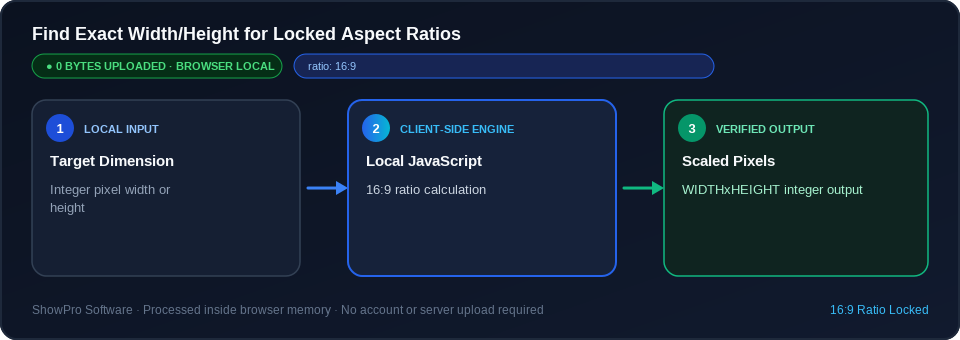
- 1
Set Known Dimension
Input your desired width (e.g., 1920 for Full HD) or height into the corresponding field. The tool automatically maintains the 16:9 ratio, calculating the opposite dimension.
Tip: For YouTube thumbnails, target 1280px width to instantly get the correct 720px height. - 2
Verify Calculated Value
Observe the dynamically updated opposite dimension. For example, entering 1920px width will display 1080px height, confirming the perfect 16:9 aspect ratio.
Tip: Use these values directly in CSS `aspect-ratio: 16 / 9;` for responsive video containers. - 3
Copy Dimensions
Click the copy icon next to the calculated width or height to transfer the exact pixel value to your clipboard for immediate use in other applications.
Tip: Paste directly into Discord custom emoji settings or Shopify image upload fields requiring specific aspect ratios. - 4
Apply to Project
Integrate the copied 16:9 dimensions into your design software (e.g., Figma, Photoshop), video editor, or web development code for precise scaling.
Tip: Ensure your final image export, like a GitHub banner, strictly adheres to these 16:9 dimensions.
Technical Specifications & Preset Reference
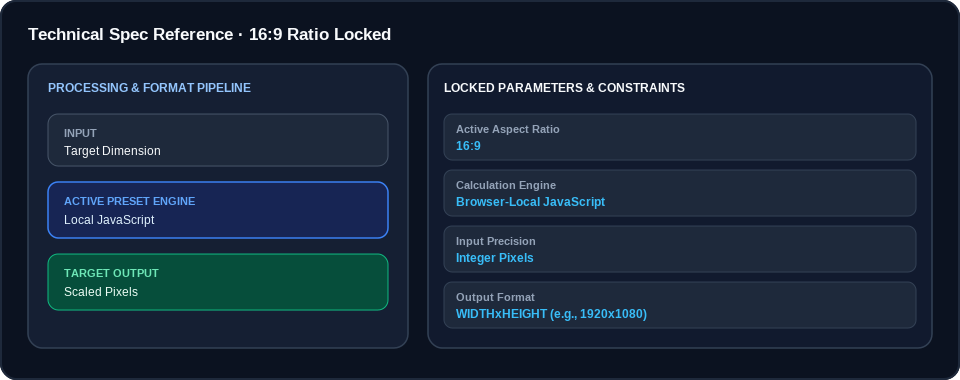
| Parameter | Recommended Setting | Why It Matters |
|---|---|---|
| Active Aspect Ratio | 16:9 | Standard for widescreen video (YouTube, Netflix) and modern displays, ensuring content scales proportionally without letterboxing or pillarboxing. |
| Calculation Engine | Browser-Local JavaScript | Guarantees zero data upload, keeping proprietary project dimensions and sensitive design specifications entirely within your local environment. |
| Input Precision | Integer Pixels | Prevents sub-pixel rendering issues or fractional dimensions that can cause blurriness or alignment problems in web layouts and UI elements. |
| Output Format | WIDTHxHEIGHT (e.g., 1920x1080) | Directly compatible with common image metadata (EXIF), video encoding tools (FFmpeg), and content management system requirements (Discord, Shopify). |
Common Issues & Troubleshooting Fixes
Inputting non-integer values results in fractional output pixels.
Always enter whole numbers for width or height. The tool rounds output to the nearest integer, but direct integer input ensures perfect pixel alignment.
Image scaling tools (e.g., Mac Preview, Windows Photos) distorting after manual resize.
Use the exact 16:9 dimensions from ShowPro for your target resolution, then apply these in dedicated design software like Figma or GIMP for precise scaling.
Social media platforms (e.g., Twitter header, YouTube end screen) rejecting uploads due to incorrect aspect ratios.
Pre-calculate your desired 16:9 dimensions here (e.g., 1500x844px for Twitter) and adhere strictly to them before exporting your final asset.
Why Run This Workflow Locally in ShowPro?
Unlike remote aspect ratio calculators that transmit your chosen dimensions or project context to external servers, this ShowPro utility operates entirely within your browser. This local processing ensures your sensitive design parameters, client specifications, or proprietary content details never leave your device, offering unparalleled privacy for critical development workflows.
Frequently Asked Questions
Why is 16:9 the default ratio for this calculator?
16:9 is the prevailing standard for high-definition video and modern displays, making it crucial for web developers and content creators to ensure widespread compatibility and optimal visual presentation.
Can I calculate dimensions for other aspect ratios here?
This specific tool is pre-configured for 16:9. For other ratios like 4:3 or 21:9, please navigate to the main Aspect Ratio Calculator tool page for broader options.
Does using this tool affect my browser's performance?
No, the calculations are extremely lightweight JavaScript operations. They execute instantly and locally, consuming minimal CPU resources without any noticeable impact on your browser's speed or responsiveness.
Is there a maximum pixel dimension limit for calculations?
The tool handles large integer inputs accurately, up to typical browser JavaScript number limits. Practically, you can calculate dimensions for resolutions far exceeding 8K (7680x4320) without issues.