Inspect IPv4 CIDR Range & Subnet Info Offline
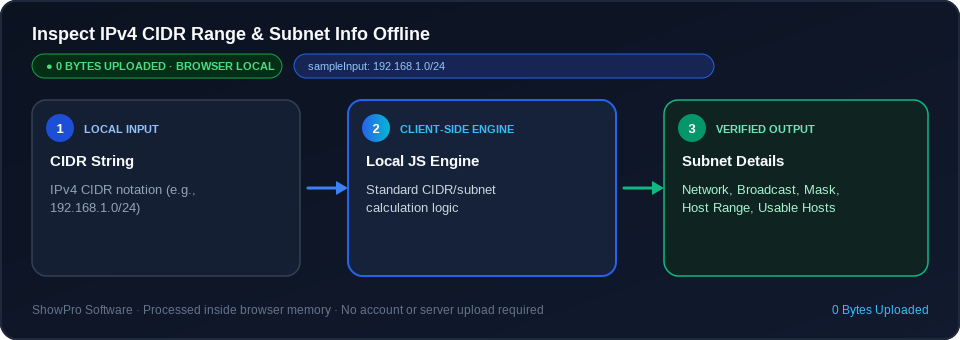
This browser-local utility instantly inspects IPv4 CIDR ranges and subnet details offline. Pre-configured with "192.168.1.0/24", it provides critical network information—like network address, broadcast, and host range—without sending sensitive configurations or logs to external servers, ensuring complete privacy and immediate results for network architects and developers.
Workflow Checklist
- Verify 'Network Address' matches your router's configured subnet.
- Confirm 'Usable Hosts' count is sufficient for 250+ devices before deploying a /24 network.
- Check 'Broadcast Address' for firewall rules blocking or allowing network-wide communication.
- Ensure the calculated 'Subnet Mask' (e.g., 255.255.255.0 for /24) aligns with server network interface configurations.
Parent Tool & Hub
Step-by-Step Guide: Inspect IPv4 CIDR Range & Subnet Info Offline
Follow these exact steps to complete this workflow locally in your browser without uploading files.
- 1
Input Your CIDR Notation
Locate the 'CIDR Input' text field, pre-filled with '192.168.1.0/24'. Replace this sample with your specific IPv4 CIDR string, ensuring correct format (e.g., '10.0.0.0/8').
Tip: Avoid spaces or non-numeric characters in the CIDR string. - 2
Review Instant Calculation Results
Upon input, the tool immediately displays calculated values: Network Address, Broadcast Address, Subnet Mask, Host Range, and total Usable Hosts. No 'Submit' button is required.
Tip: Verify the 'Subnet Mask' matches your expected classful or classless design. - 3
Verify Network Address
Check the 'Network Address' output. For '192.168.1.0/24', it should be '192.168.1.0'. This is the first IP in the subnet, essential for routing tables.
Tip: Incorrect network addresses often indicate a typo in the CIDR prefix. - 4
Confirm Usable Host Range
Examine the 'Host Range' (e.g., '192.168.1.1 - 192.168.1.254' for /24). These are the assignable IPs for devices, excluding network and broadcast addresses.
Tip: The number of 'Usable Hosts' helps determine subnet capacity for deployments. - 5
Copy Specific Output Values
Click the 'Copy' button next to any specific field (e.g., 'Broadcast Address') to quickly transfer that value to your clipboard for use in firewall rules or server configurations.
Tip: Paste directly into a terminal or 'ip addr add' command for Linux.
Technical Specifications & Preset Reference
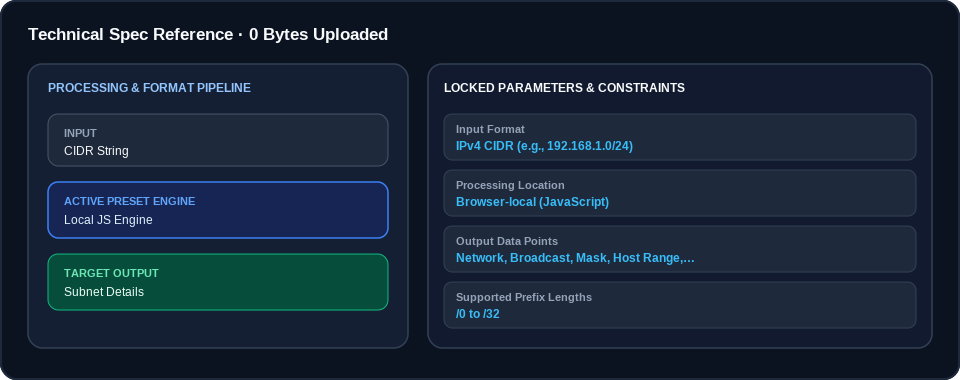
| Parameter | Recommended Setting | Why It Matters |
|---|---|---|
| Input Format | IPv4 CIDR (e.g., 192.168.1.0/24) | Strict adherence to CIDR notation ensures accurate parsing and calculation of subnet parameters. |
| Processing Location | Browser-local (JavaScript) | All calculations occur in your browser, guaranteeing zero data upload and maximum privacy for sensitive network plans. |
| Output Data Points | Network, Broadcast, Mask, Host Range, Usable Hosts | Comprehensive output covers all essential details required for network configuration and troubleshooting tasks. |
| Supported Prefix Lengths | /0 to /32 | Supports the full range of IPv4 CIDR prefix lengths, from a single host to the entire internet. |
| Latency | Sub-millisecond | Instantaneous results due to local processing, eliminating network latency inherent in server-side tools. |
Common Issues & Troubleshooting Fixes
Inputting an invalid IPv4 address or non-numeric prefix (e.g., '192.168.1.256/24' or '192.168.1.0/abc')
Ensure the IPv4 address is valid (0-255 per octet) and the prefix length is a number between 0 and 32. The tool will highlight invalid inputs.
Misinterpreting the 'Network Address' as a usable host address, leading to IP conflicts or routing issues.
Remember the 'Network Address' (e.g., 192.168.1.0 for /24) and 'Broadcast Address' (192.168.1.255) are reserved. Only IPs within the 'Host Range' are assignable.
Forgetting to account for gateway or management IPs when planning usable host counts for a subnet.
Always subtract additional reserved IPs (like router default gateways) from the 'Usable Hosts' count provided, especially for smaller subnets like /30 or /29.
Not understanding how a change in prefix length (e.g., from /24 to /25) impacts the subnet mask and host count.
Experiment with different prefix lengths (e.g., '192.168.1.0/25') to observe the immediate changes in Subnet Mask and Usable Hosts, solidifying your understanding of subnetting.
Why Run This Workflow Locally in ShowPro?
Unlike remote CIDR calculators that transmit your network configurations to a server, this tool processes everything client-side using JavaScript. This means your sensitive IPv4 addresses and subnet planning details never leave your browser, preventing potential data leaks or logging by third parties. For critical infrastructure planning, local processing is paramount for security and instant feedback.
Frequently Asked Questions
Why is '192.168.1.0/24' pre-loaded as the sample input?
This common private network range provides an immediate, tangible example of a /24 subnet's properties, allowing users to quickly see the tool's output structure and functionality without manual entry for initial testing.
Does this tool support IPv6 CIDR calculations?
No, this specific tool is designed exclusively for IPv4 CIDR ranges. IPv6 uses a different address format and subnetting methodology, which is not covered by this utility. Please check our other tools for IPv6 support.
Can I input a range of CIDRs to calculate multiple subnets at once?
This tool processes one CIDR notation at a time. It's designed for focused, individual subnet inspection. For batch processing, you would need to input each CIDR sequentially and copy the relevant outputs.
What happens if I enter an IP address that isn't the network address (e.g., 192.168.1.10/24)?
The tool will still correctly calculate the 'Network Address' for the given prefix length. For '192.168.1.10/24', it will correctly identify '192.168.1.0' as the network address, as per standard CIDR rules.
Is an internet connection required for this CIDR calculator to work?
Once the page loads, no internet connection is needed. All calculations are performed entirely within your browser using client-side JavaScript, ensuring continuous functionality even offline.