Verify Real MIME & Signature of Renamed Files
This tool helps you verify the true file type of renamed documents, archives, or media by examining their magic numbers and MIME types locally in your browser. It prevents security risks and ensures file integrity, especially when dealing with files that might have misleading extensions. The 'Show Hex Header' option is pre-enabled for detailed inspection.
Workflow Checklist
- Verify a downloaded 'invoice.pdf.zip' is truly 'application/zip' before extracting.
- Confirm 'report.jpeg' from an unknown sender is 'image/jpeg' and not 'application/x-msdownload'.
- Check if a file named 'update.exe' is actually a Windows executable or disguised malware.
- Ensure a 'document.docx' intended for a government portal is indeed 'application/vnd.openxmlformats-officedocument.wordprocessingml.document' and not a simple ZIP.
Parent Tool & Hub
Step-by-Step Guide: Verify Real MIME & Signature of Renamed Files
Follow these exact steps to complete this workflow locally in your browser without uploading files.
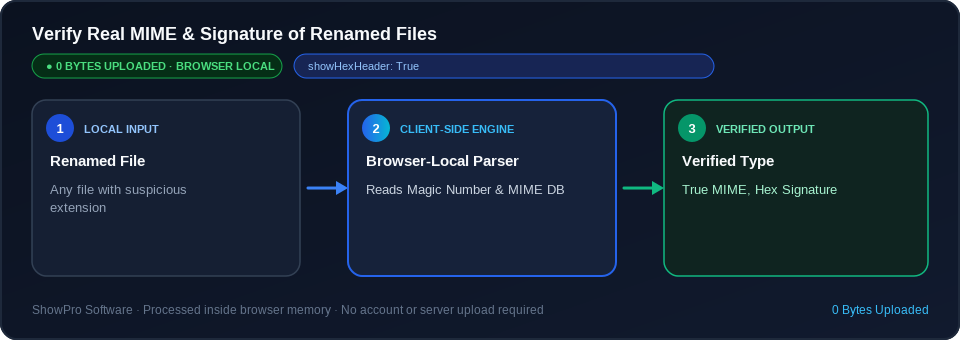
- 1
Drag or Select Renamed File
Locate the suspicious or renamed file (e.g., 'contract.jpg' that might actually be a PDF) from your desktop or downloads folder and drag it into the designated upload area.
Tip: For mobile, use the 'Browse' option to select from your device's file system or iCloud Drive. - 2
Inspect Detected MIME Type
After processing, observe the 'Detected MIME Type' field. This reveals the file's true format, like 'application/pdf' or 'application/zip', regardless of its current filename extension.
Tip: If it shows 'application/octet-stream', the file type is generic or unknown to common signatures. - 3
Review Hexadecimal Header
Examine the 'Hexadecimal Header' section. This displays the first few bytes (magic numbers) of the file, crucial for confirming its true format against known signatures.
Tip: PDFs often start with '%PDF', while ZIP files begin with 'PK\x03\x04'. - 4
Cross-Reference with Expected Type
Compare the detected MIME and hex header with what you expect. For example, if a file named 'report.xlsx' shows 'application/zip' and 'PK\x03\x04', it's likely a legitimate XLSX (which is a ZIP archive).
Tip: Be wary if a '.exe' file is detected as 'image/png'; it's a clear red flag. - 5
Decide on File Trustworthiness
Based on the verified MIME type and hex signature, decide whether the file is safe to open or needs further investigation. This helps prevent opening malicious files.
Tip: If the file is critical, consider scanning it with an antivirus after verification.
Technical Specifications & Preset Reference
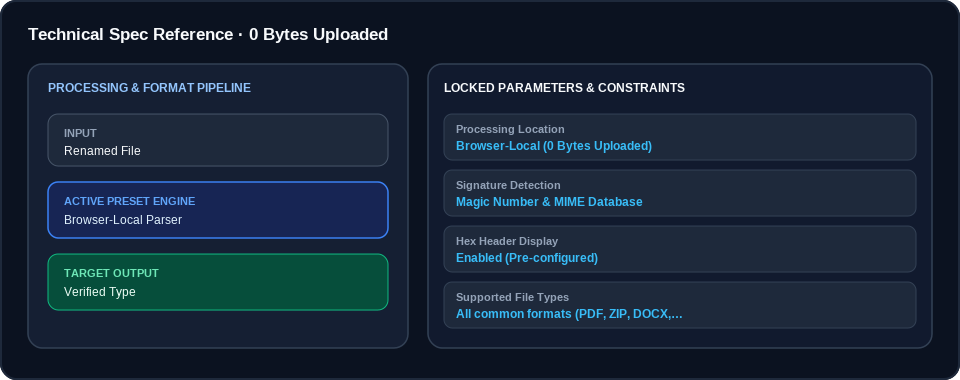
| Parameter | Recommended Setting | Why It Matters |
|---|---|---|
| Processing Location | Browser-Local (0 Bytes Uploaded) | Ensures sensitive business spreadsheets or contracts never leave your machine, maintaining privacy. |
| Signature Detection | Magic Number & MIME Database | Identifies true file types by header bytes, bypassing misleading file extensions for security. |
| Hex Header Display | Enabled (Pre-configured) | Provides raw hexadecimal data for manual verification against known file format specifications, enhancing trust. |
| Supported File Types | All common formats (PDF, ZIP, DOCX, XLSX, JPG, PNG, etc.) | Covers a broad range of files to accurately detect renamed documents, archives, and media. |
| No Account Required | True | Enables instant, frictionless use for quick verification without data collection or signup hurdles. |
Common Issues & Troubleshooting Fixes
A PDF renamed to .JPG shows 'image/jpeg' in Windows Explorer but 'application/pdf' here.
Trust the 'Detected MIME Type' from this tool, as it reads the internal magic numbers, not just the filename extension.
A crucial Excel spreadsheet (.xlsx) is rejected by a portal like USCIS or Shopify because it's detected as 'application/zip'.
This tool will confirm 'application/zip' is correct for .xlsx (it's a ZIP archive). The portal's validation is likely too strict; try zipping it again or using an older Excel format if allowed.
Downloading a file from Discord or GitHub that is supposed to be a script, but this tool detects it as an image.
Do not open the file. This tool's detection of 'image/png' for a supposed '.js' file indicates a malicious renaming. Delete the file immediately.
A file that's supposed to be a text document (.txt) shows up as 'application/octet-stream' with a generic hex header.
This means the file lacks a distinct magic number. It might be a plain text file, but exercise caution. Open it with a secure text editor, not an executable program.
Why Run This Workflow Locally in ShowPro?
Unlike remote file inspection services that require you to upload your potentially sensitive or malicious files to their servers, ShowPro's 'Verify Real MIME & Signature' tool operates entirely within your browser. This means your business contracts, personal archives, or suspicious downloads never leave your machine, eliminating data privacy risks and upload delays inherent to cloud-based solutions when checking real file types by magic number.
Frequently Asked Questions
Why is the hex header important for verification?
The hexadecimal header displays the file's 'magic number' – specific bytes at the beginning that uniquely identify its format. This is a more reliable indicator of file type than the filename extension, which can be easily changed to hide malicious intent.
Can this tool detect if a file is malicious?
This tool verifies the *true file type* by its signature. While it can reveal if a file is disguised (e.g., an executable pretending to be a PDF), it does not perform virus scanning. Use it as a first line of defense, then employ antivirus software.
What if the detected MIME type is 'application/octet-stream'?
'application/octet-stream' is a generic MIME type. It means the file either lacks a distinct magic number (like some plain text files) or its format is unknown to the tool's database. Proceed with caution and further investigation if unsure.
Does renaming a file change its magic number?
No, renaming a file only changes its filename extension, not its internal content or the magic numbers at its beginning. This tool specifically reads those internal bytes, making it effective for detecting renamed or disguised files.
Is there a file size limit for this local processing?
Since processing occurs entirely in your browser, the practical file size limit is primarily determined by your device's available RAM and CPU. For typical documents and archives, even multi-gigabyte files can be processed, though larger files may take longer.