Inspect Exact Image Pixel Dimensions & File Size
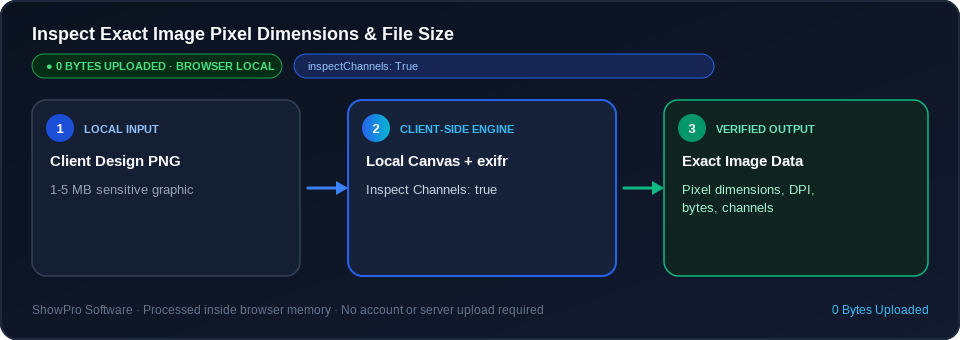
This tool precisely inspects image pixel dimensions, file size, and channel details directly in your browser. It's pre-configured with `inspectChannels: true` to reveal granular color data, ensuring sensitive client graphics or personal photos are never uploaded, providing immediate, private analysis.
Workflow Checklist
- Verify product image dimensions are exactly 1200x1200px for e-commerce portal.
- Confirm a client's logo PNG has an active Alpha channel for transparent overlays.
- Check if a social media avatar (e.g., GitHub) is precisely 256x256px and under 1MB.
- Determine the exact byte size of an image before attaching to an email with a 10MB limit.
Parent Tool & Hub
Step-by-Step Guide: Inspect Exact Image Pixel Dimensions & File Size
Follow these exact steps to complete this workflow locally in your browser without uploading files.
- 1
Select Image for Inspection
Drag and drop your image file (JPEG, PNG, HEIC, WebP, GIF) onto the designated area or click to browse. For iPhone users, transfer via iCloud.com for direct file access, avoiding Photos app limitations.
Tip: For Mac users, drag directly from Finder or Photos app; Windows users, drag from Explorer. - 2
Review Pixel Dimensions & DPI
Once loaded, the tool instantly displays the exact width, height, and Dots Per Inch (DPI). Verify these against platform requirements like Discord (max 4096px) or Shopify (max 4472px) for avatars or product images.
Tip: Note if DPI is missing; some formats like WebP or PNG don't inherently store it. - 3
Examine File Size in Bytes
The output clearly shows the image's file size in bytes. Compare this to common portal limits, such as USCIS photo uploads (<=240KB) or typical email attachment caps, to ensure compliance without re-encoding.
Tip: A discrepancy between stated and actual file size often indicates metadata corruption. - 4
Inspect Channel Data Details
With `inspectChannels` active, you'll see detailed channel information (e.g., RGB, RGBA). This is critical for verifying transparency (Alpha channel) in PNGs or detecting unexpected color profiles that might cause rendering issues.
Tip: Missing Alpha channel on a seemingly transparent PNG indicates a flattening issue. - 5
Verify Color Depth Information
Check the reported color depth (e.g., 8-bit, 16-bit). This is crucial for high-fidelity graphics work where banding might occur with insufficient bit depth, or for specific print workflows requiring higher color precision.
Tip: High bit depth images (16-bit) will have significantly larger file sizes per pixel.
Technical Specifications & Preset Reference
| Parameter | Recommended Setting | Why It Matters |
|---|---|---|
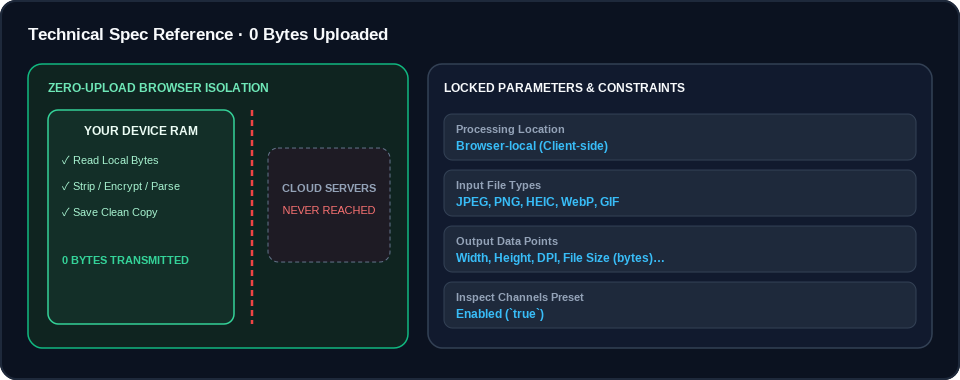
| Processing Location | Browser-local (Client-side) | Ensures 0 bytes of your image data are ever uploaded, maintaining complete privacy for sensitive graphics. |
| Input File Types | JPEG, PNG, HEIC, WebP, GIF | Covers most common web and device image formats, allowing broad utility for diverse sources like iPhone photos or web assets. |
| Output Data Points | Width, Height, DPI, File Size (bytes), Color Channels (RGB/A), Bit Depth | Provides a comprehensive overview of critical image properties for compliance, quality assurance, and debugging rendering issues. |
| Inspect Channels Preset | Enabled (`true`) | Activates deep analysis of color and alpha channels, essential for verifying transparency and color fidelity for web and print applications. |
| Max File Size (Input) | ~50 MB (Browser-dependent) | Handles large source files typical of high-resolution cameras or design exports, limited only by browser memory, not server capacity. |
Common Issues & Troubleshooting Fixes
Image dimensions reported incorrectly by an external tool
Use this tool to get the definitive pixel width and height directly from the file's EXIF/metadata, bypassing OS-level scaling or thumbnail issues.
PNG appears transparent in editor but loads with black background online
Check the 'Alpha Channel' detail in this tool; if it's missing or corrupted, the PNG's transparency data was lost during export, requiring re-export with correct settings.
Image file size exceeds a portal limit (e.g., DS-160 photo <=240KB)
Inspect the exact byte count here. If too large, use a separate ShowPro tool to compress or resize the image to meet the specific byte cap.
HEIC image won't load in older software or online forms
While this tool inspects HEIC, you'll need ShowPro's HEIC to JPEG converter to create a universally compatible file for uploading to non-HEIC-aware platforms.
Why Run This Workflow Locally in ShowPro?
Unlike cloud-based image inspectors that demand you upload your files, this tool performs all dimension, DPI, and channel inspections locally. Your sensitive client designs or personal photos remain entirely on your device, never touching a server. This provides instant results with zero privacy risk, ideal for pre-flight checks.
Frequently Asked Questions
Why is the DPI reported as 'Unknown' for my image?
Some image formats, like WebP and many PNGs, do not inherently store DPI metadata within their file structure. This tool accurately reports what's present in the file, not inferring values.
Can this tool detect if an image has a transparent background?
Yes, with `inspectChannels` enabled, the tool will explicitly list an 'Alpha' channel if present. The presence of an Alpha channel indicates the image supports transparency, typically found in PNGs.
Does this support inspecting animated GIFs?
Yes, this tool will inspect the dimensions, file size, and channel information of the *first frame* of an animated GIF. It does not analyze individual frames or animation properties.
What if my image file is very large, like 100MB?
While the tool processes locally, extremely large files (e.g., >50MB) can be limited by your browser's memory and performance. For such cases, consider pre-compressing the image slightly using an OS tool like Mac Preview or Windows Photos.
Is there a way to batch inspect multiple images at once?
This specific tool is designed for single-image, deep inspection. For batch processing of dimensions or file sizes, look for a dedicated ShowPro batch utility planned for future releases.