Compare SHA-256 Hashes to Check File Equality
Ensure the integrity of critical documents like contracts or archives with this tool. It uses SHA-256 to compare two files byte-by-byte, entirely within your browser. No files are uploaded, guaranteeing privacy. The 'compareMode' preset is active, streamlining your file verification workflow.
Workflow Checklist
- Verify a downloaded software installer's SHA-256 hash against the developer's published hash to confirm integrity before installation.
- Confirm that a critical backup archive (e.g., .zip, .tar.gz) is byte-identical to its source version after transfer to a new drive.
- Check if two versions of a business contract PDF or spreadsheet (e.g., 'Contract_v1.pdf' vs. 'Contract_v1_final.pdf') are truly unchanged.
- Ensure that files submitted to portals (e.g., USCIS, Discord) match local copies exactly, preventing submission errors due to accidental modification.
Parent Tool & Hub
Step-by-Step Guide: Compare SHA-256 Hashes to Check File Equality
Follow these exact steps to complete this workflow locally in your browser without uploading files.
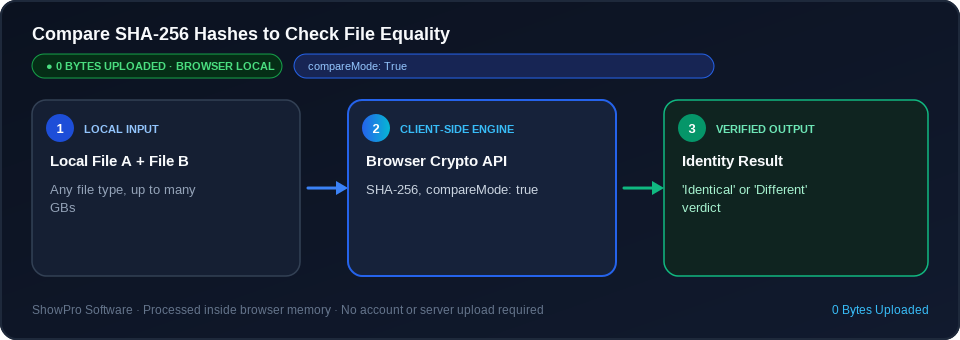
- 1
Select Your First File
Click 'Choose File A' and navigate to your first document (e.g., a business spreadsheet from your 'Documents' folder). Select it to load for SHA-256 hashing locally.
Tip: Ensure the file is not actively open in another application like Excel or Word. - 2
Select Your Second File
Click 'Choose File B' and select the second file you wish to compare. This could be a downloaded archive or a backup copy from a USB drive.
Tip: For large files, allow a few seconds for the browser to process the hash. - 3
Verify Hash Calculation
Observe the progress bar and wait for 'Hash A' and 'Hash B' to display. This confirms both files have been processed locally by your browser's cryptographic API.
Tip: Processing happens entirely client-side; your files never leave your device. - 4
Interpret Comparison Result
The tool will display 'Files are Identical' or 'Files are Different' based on the SHA-256 hash comparison. Identical hashes mean byte-for-byte equality.
Tip: Even a single byte difference will result in entirely different SHA-256 hashes. - 5
Repeat for New Comparisons
To compare another pair of files, simply click 'Choose File A' and 'Choose File B' again. The tool is ready for immediate reuse without refreshing the page.
Tip: Use this for verifying downloaded software installers or critical data backups.
Technical Specifications & Preset Reference
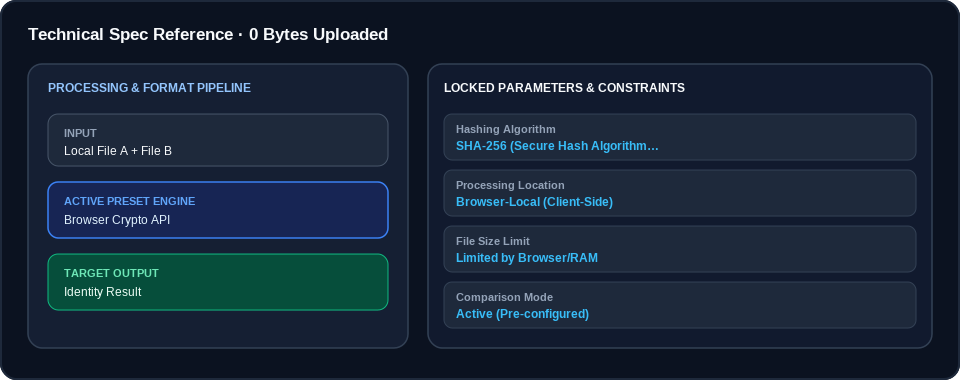
| Parameter | Recommended Setting | Why It Matters |
|---|---|---|
| Hashing Algorithm | SHA-256 (Secure Hash Algorithm 256-bit) | Provides a robust, cryptographically secure fingerprint, making it highly improbable for two different files to produce the same hash. |
| Processing Location | Browser-Local (Client-Side) | Ensures zero bytes of your sensitive business spreadsheets or contracts are ever uploaded, maintaining absolute privacy and security. |
| File Size Limit | Limited by Browser/RAM | Modern browsers can handle multi-gigabyte files efficiently for hashing, constrained only by your device's available memory. |
| Comparison Mode | Active (Pre-configured) | Directly presents the 'Identical' or 'Different' result, streamlining the workflow for quick verification without manual hash comparison. |
| Required Permissions | None (HTML5 File API) | The tool accesses files via standard browser APIs, requiring no special permissions or browser extensions for operation. |
Common Issues & Troubleshooting Fixes
Files report as different despite appearing identical (e.g., text files).
Check for invisible characters (e.g., UTF-8 BOM, trailing spaces, different line endings like LF vs. CRLF). Use a hex editor or a text editor like VS Code to reveal hidden differences.
Comparison takes an exceptionally long time or crashes the browser tab.
This usually indicates extremely large files (tens of GBs) or insufficient RAM. Try closing other memory-intensive applications or using a device with more RAM.
Hash calculation fails to start or shows an error.
Ensure your browser is up to date. Occasionally, browser extensions can interfere; try disabling them or using an incognito window. Clear browser cache if issues persist.
Comparing files across different operating systems (e.g., Windows vs. macOS).
Be aware that OS-specific metadata (e.g., resource forks on macOS, hidden system files) can be included in archives, making them byte-different even if content appears identical.
Why Run This Workflow Locally in ShowPro?
Unlike remote file upload services, this tool processes your files entirely within your browser. For sensitive documents like financial records or legal contracts, this means zero upload risk. Your files never leave your machine, eliminating concerns about data breaches or server-side retention policies, providing immediate, private verification of byte-identity.
Frequently Asked Questions
Can I compare files larger than 1GB with this tool?
Yes, modern browsers can handle multi-gigabyte files for hashing. Performance depends on your device's CPU and available RAM. The process remains local, even for very large archives or video files.
What if the files seem identical but the hashes don't match?
Even a single byte difference, like a different line ending (CRLF vs LF) or an invisible metadata tag, will result in completely different SHA-256 hashes. The files are not byte-identical.
Is my data safe when using this online tool?
Absolutely. This tool operates entirely client-side in your browser. Your files are read and processed directly on your device, and zero bytes are ever transmitted to any server. No account is needed.
Does this tool work with all file types?
Yes, SHA-256 hashing is a byte-level operation, so it works universally across all file types – PDFs, images, archives, executables, spreadsheets, etc. It doesn't interpret file content, only its raw bytes.
Why is SHA-256 preferred over other hashing algorithms like MD5?
SHA-256 is cryptographically stronger than MD5, which is known to have collision vulnerabilities. While MD5 might be faster, SHA-256 offers a much higher assurance that identical hashes truly mean identical files, critical for data integrity.