Check JWT 'exp' Expiration & 'iat' Claims Locally
Decode and instantly check JWT 'exp', 'iat', and 'nbf' claims directly in your browser without sending tokens to external servers. This tool is pre-configured to highlight these specific claims and automatically calculate their human-readable expiration dates, ensuring sensitive token data remains entirely local for privacy-critical development and debugging.
Workflow Checklist
- Verify 'exp' date is future-dated for newly issued tokens.
- Confirm 'iat' timestamp aligns with expected token creation time.
- Check 'nbf' claim ensures token isn't used before its valid window.
- Ensure 'exp' is present for all security-critical, time-limited tokens.
Parent Tool & Hub
Step-by-Step Guide: Check JWT 'exp' Expiration & 'iat' Claims Locally
Follow these exact steps to complete this workflow locally in your browser without uploading files.
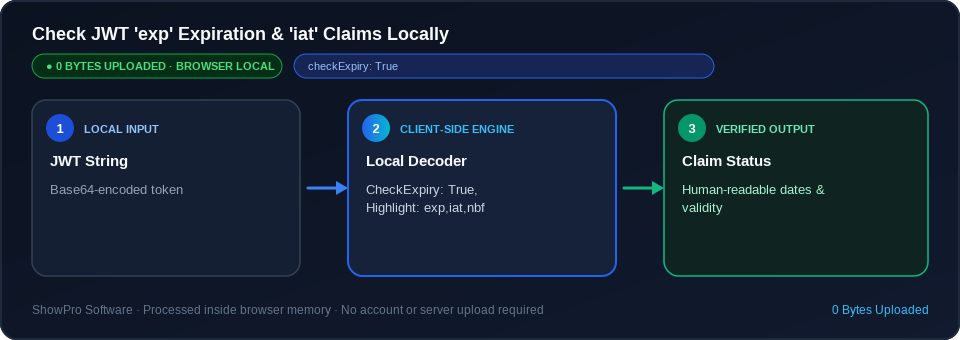
- 1
Paste Your JWT String
Copy your full JSON Web Token (JWT) string from your application logs, API response, or configuration file. Paste it directly into the 'Input JWT String' text area on this page.
Tip: Ensure no leading/trailing whitespace is included with the token string. - 2
Observe Claim Highlights
As you paste, the 'Decoded Payload' section will instantly display the token's claims. The 'exp', 'iat', and 'nbf' claims will be automatically highlighted for quick identification.
Tip: Use your browser's find feature (Ctrl+F/Cmd+F) to quickly locate other specific claims. - 3
Verify Expiration Status
The tool automatically checks the 'exp' (expiration time) claim against the current browser time. A clear 'Expired' or 'Valid' status, along with the human-readable date, will be shown directly below the decoded payload.
Tip: The 'exp' timestamp is in Unix epoch seconds; the tool converts this to local time. - 4
Review 'iat' & 'nbf' Timestamps
Locate the 'iat' (issued at) and 'nbf' (not before) claims within the highlighted payload. Their corresponding human-readable dates will be displayed next to their raw Unix timestamps.
Tip: Compare 'iat' with 'nbf' to understand the token's active window relative to its creation. - 5
Iterate with New Tokens
To check another JWT, simply paste a new token into the input area. The tool will instantly re-process and display the updated expiration and claim details.
Tip: This local processing is ideal for rapid debugging of multiple short-lived tokens.
Technical Specifications & Preset Reference
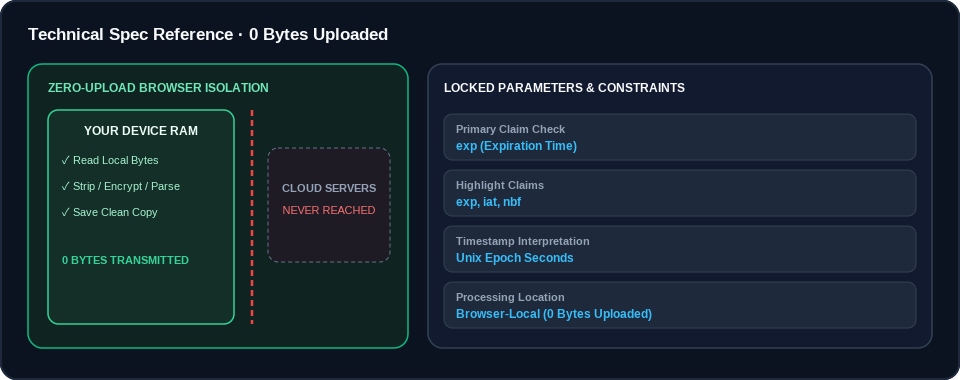
| Parameter | Recommended Setting | Why It Matters |
|---|---|---|
| Primary Claim Check | exp (Expiration Time) | Crucial for security; expired tokens must be rejected. This ensures your application logic aligns with the token's lifecycle. |
| Highlight Claims | exp, iat, nbf | Focuses developer attention on key time-related claims, streamlining the debugging process for token validity periods. |
| Timestamp Interpretation | Unix Epoch Seconds | Standard for JWT claims; the tool converts these raw numbers into user-friendly local dates for clarity. |
| Processing Location | Browser-Local (0 Bytes Uploaded) | Guarantees sensitive JWTs never leave your machine, meeting strict enterprise security and privacy requirements. |
| Output Format | Human-Readable Date/Time | Simplifies understanding of complex Unix timestamps, preventing manual conversion errors and accelerating debugging. |
Common Issues & Troubleshooting Fixes
JWT appears valid but API rejects it (e.g., 'invalid signature' or 'token expired')
Confirm the 'exp' claim's human-readable date. If it shows 'Expired', your token is indeed past its validity. If not, check other claims like 'nbf' or verify the signature separately using a full JWT decoder (parent tool).
'exp' claim is missing, leading to an 'Invalid Token' status or no expiration check.
Some JWTs (e.g., those for session management without strict expiration) might omit 'exp'. This tool will accurately report its absence. If 'exp' is expected, investigate the token generation source.
Timezone discrepancies causing confusion about token expiration (e.g., 'exp' seems future, but token is rejected).
JWT timestamps are UTC. This tool converts to your *local* browser timezone. Ensure your server's clock is synchronized to NTP and properly handling UTC to avoid off-by-hours discrepancies.
Copy-pasting an incomplete JWT string (e.g., missing a segment or trailing equals signs for base64 padding).
Ensure the entire token, including all three dot-separated segments and any necessary base64 padding (trailing '=' characters), is copied. Incomplete tokens will fail decoding and display an error.
Why Run This Workflow Locally in ShowPro?
Checking JWT expiration locally in your browser is paramount for security. Unlike remote services that require uploading your full, sensitive JWT, this tool processes everything client-side. Your proprietary token contents, private claims, and potential PII never leave your machine, eliminating the risk of data exposure or interception during transmission to a third-party server.
Frequently Asked Questions
Why does the 'exp' claim show a future date, but my application still rejects the token as expired?
This often points to a server-side clock skew. While this tool uses your local browser time, your application server might have an unsynchronized clock, or a different timezone configuration, making it perceive the token as expired. Verify your server's NTP synchronization.
Can I check other claims besides 'exp', 'iat', and 'nbf' with this tool?
Yes, while 'exp', 'iat', and 'nbf' are pre-highlighted, the entire JWT payload is decoded and displayed. You can manually inspect any other claim like 'sub', 'aud', or 'iss' within the 'Decoded Payload' section.
What if my JWT doesn't have an 'exp' claim?
Some JWTs are designed without an explicit expiration, typically for long-lived sessions or specific internal services. This tool will correctly indicate that the 'exp' claim is missing and thus cannot provide an expiration status. This is normal for such tokens.
Is the current time used for expiration checks based on my local machine's clock or UTC?
The tool uses your browser's current local time to perform the expiration check. While JWT timestamps ('exp', 'iat', 'nbf') are in UTC, the tool converts them and compares against your local time for a human-centric assessment.
Does this tool validate the JWT signature?
No, this specific tool focuses solely on decoding the JWT payload and checking time-based claims ('exp', 'iat', 'nbf'). Signature validation requires a secret key and is handled by the parent /tools/jwt-decoder tool, which offers full validation capabilities.