Test Password Entropy & Crack Time Locally (Zero Upload)
This utility provides an instant, browser-local method to check password entropy and crack time without uploading any data. Designed for developers and privacy-conscious users, it ensures sensitive password candidates never leave your device. The tool is pre-configured to prominently display both 'Entropy' and 'Crack Time' metrics, offering a comprehensive security assessment.
Workflow Checklist
- Verify new GitHub personal access tokens exceed 80 bits entropy.
- Ensure Shopify admin passwords show a crack time of 'centuries'.
- Confirm Discord account passwords achieve at least 16 characters and 65+ bits entropy.
- Check USCIS portal password candidates for 'Very Strong' rating and multi-year crack time.
Parent Tool & Hub
Step-by-Step Guide: Test Password Entropy & Crack Time Locally (Zero Upload)
Follow these exact steps to complete this workflow locally in your browser without uploading files.
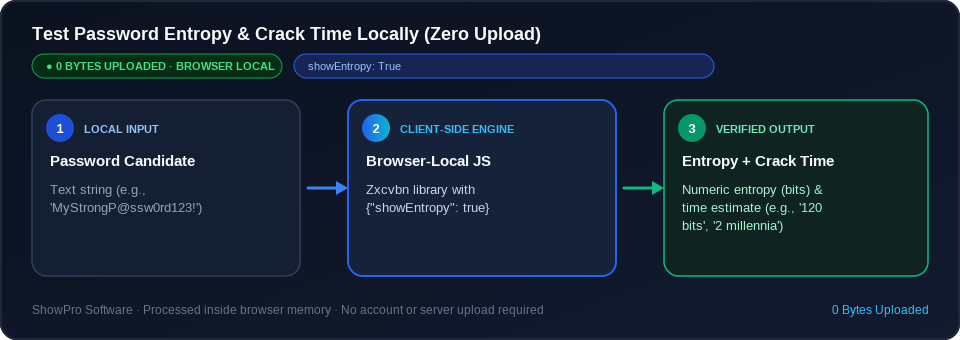
- 1
Access the Password Strength Tester
Navigate directly to the ShowPro Software 'Test Password Entropy & Crack Time Locally' page. No account or login is required to proceed with the local entropy calculation.
Tip: Bookmark this specific URL for quick, zero-upload access in the future. - 2
Input Your Password Candidate
Locate the 'Enter Password' text field. Type or paste the password string you wish to analyze directly into this input box. The analysis begins instantly.
Tip: Avoid pasting from clipboard managers that might add hidden characters; type manually for precision. - 3
Review Entropy Score
Observe the 'Entropy' display, measured in bits. Higher bit values indicate greater randomness and unpredictability, crucial for strong cryptographic keys.
Tip: Aim for at least 60-80 bits of entropy for critical application passwords or API keys. - 4
Examine Crack Time Estimate
Check the 'Crack Time' field, which estimates how long it would take a brute-force attack to guess your password. This metric considers modern computational power.
Tip: Ensure the crack time is measured in 'years' or 'centuries', not 'seconds' or 'days'. - 5
Iterate for Stronger Passwords
Modify your password candidate by adding special characters, numbers, mixed case, and increasing length. Re-evaluate the entropy and crack time after each change.
Tip: Use a combination of 16+ characters, including symbols, to significantly boost strength.
Technical Specifications & Preset Reference
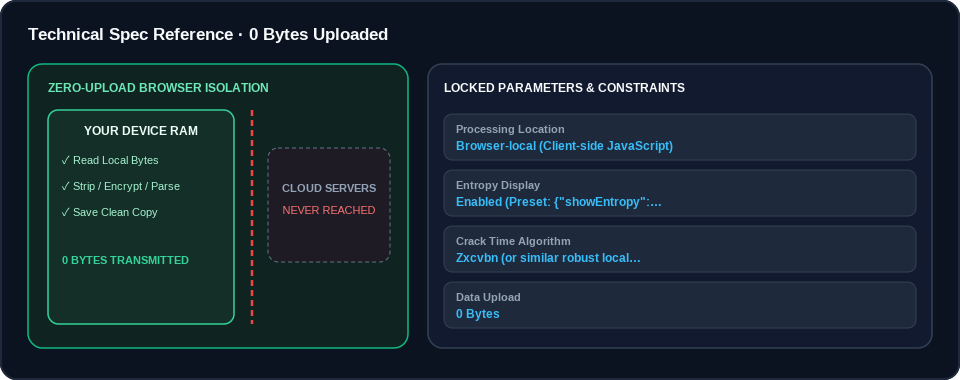
| Parameter | Recommended Setting | Why It Matters |
|---|---|---|
| Processing Location | Browser-local (Client-side JavaScript) | Ensures 0 bytes of your password ever leave your device, guaranteeing maximum privacy and security. |
| Entropy Display | Enabled (Preset: {"showEntropy": true}) | Crucial for understanding the theoretical randomness of your password, measured in Shannon entropy bits. |
| Crack Time Algorithm | Zxcvbn (or similar robust local library) | Provides realistic brute-force attack time estimates based on common patterns and modern hardware capabilities. |
| Data Upload | 0 Bytes | Eliminates server-side logging or storage risks, ideal for sensitive corporate or personal password evaluations. |
| Account Requirement | None | Allows immediate, anonymous use without registration, reducing friction and privacy concerns for quick checks. |
Common Issues & Troubleshooting Fixes
Over-reliance on simple character substitutions (e.g., 'p@ssw0rd')
While visually complex, these are often weak. Increase length and mix truly random characters, not just common leet-speak replacements.
Using common phrases or dictionary words with spaces (e.g., 'my dog is fluffy')
Even long passphrases can be weak if dictionary-attackable. Introduce numbers and symbols randomly within the phrase or use completely random word combinations.
Ignoring entropy score, focusing only on 'green' strength indicators
The entropy bit count is the most objective metric. A 'strong' indicator might still be suboptimal for high-security contexts; always aim for higher entropy.
Testing a password you already use on a live system
NEVER test a live password here. Only use candidate passwords you intend to create or modify, ensuring no exposure of existing credentials.
Why Run This Workflow Locally in ShowPro?
Checking password strength locally in your browser offers unparalleled privacy compared to remote upload sites. When evaluating sensitive password candidates or API keys, transmitting them to a third-party server, even encrypted, introduces an unnecessary risk of interception, logging, or storage. Local processing with ShowPro ensures your password never leaves your device, providing instant, secure feedback without any data exposure.
Frequently Asked Questions
How accurate is the crack time estimate?
The crack time is an estimate based on established algorithms like Zxcvbn, which considers common attack patterns and modern hardware. It's a robust indicator but not a guarantee, as attack methods constantly evolve.
Does this tool store my password input?
Absolutely not. All processing occurs entirely within your browser's memory. Your password input is never stored, logged, or transmitted to ShowPro Software servers or any third party.
Can I use this for multi-factor authentication (MFA) codes?
This tool is for evaluating static password strength, not dynamic MFA codes. MFA codes are time-sensitive and single-use, providing a different layer of security that this tool doesn't analyze.
Why is 'Entropy' more important than a simple 'Strength' bar?
Entropy (in bits) quantifies the true randomness and unpredictability of a password, directly correlating to the effort required to guess it. A 'Strength' bar can be subjective; entropy provides a precise, universally understood security metric.
Is it safe to use this tool on a public computer?
While the processing is local, using a public computer always carries risks like keyloggers or compromised browsers. For maximum security, use this tool on a trusted, private device where you control the environment.