Remove Duplicate URLs from Sitemap or Crawl List
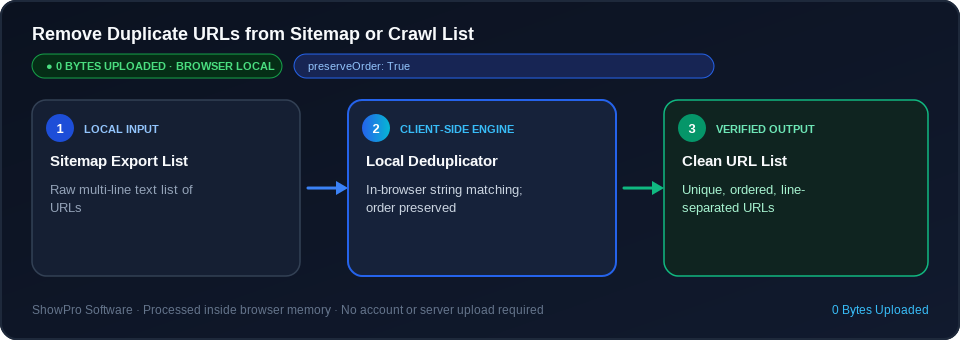
This utility instantly removes duplicate URLs from sitemap exports or crawl lists, ensuring clean, unique entries without uploading any data. It's pre-configured to preserve the original order of your URLs, which is crucial for maintaining sitemap priority or crawl sequence integrity, all processed locally in your browser.
Workflow Checklist
- Verify the final unique URL count against your expected number post-deduplication.
- Check for any unintended URL variations (e.g., HTTP vs. HTTPS, www vs. non-www) that need standardization before input.
- Confirm the output list is suitable for your sitemap generator's required line-by-line URL format.
- For large sites, cross-reference a small sample of the deduplicated list with your original export to ensure accuracy.
Parent Tool & Hub
Step-by-Step Guide: Remove Duplicate URLs from Sitemap or Crawl List
Follow these exact steps to complete this workflow locally in your browser without uploading files.
- 1
Export Your URL List
Export your sitemap (e.g., from an XML file) or crawl list (e.g., Screaming Frog export) into a plain text file, ensuring each URL is on a new line.
Tip: Use a text editor like VS Code to quickly copy large blocks of URLs. - 2
Copy URLs to Clipboard
Open your text file or spreadsheet, select the column containing your URLs, and copy the entire selection to your clipboard (Ctrl+C or Cmd+C).
Tip: Ensure no extra header rows are selected before copying. - 3
Paste into ShowPro Tool
Paste your copied URLs directly into the input text area of this ShowPro tool. The deduplication process will begin immediately in your browser.
Tip: The tool automatically detects new lines as URL separators. - 4
Review Deduplicated Output
Observe the 'Output' text area. It will display your list with all duplicate URLs removed, maintaining the original order as they first appeared.
Tip: Scroll through to verify the unique URL count matches expectations. - 5
Copy Clean URL List
Click the 'Copy to Clipboard' button below the output area to grab your clean, deduplicated URL list for use in your sitemap generator or analysis tool.
Tip: Paste into a new text file or directly into your sitemap builder.
Technical Specifications & Preset Reference
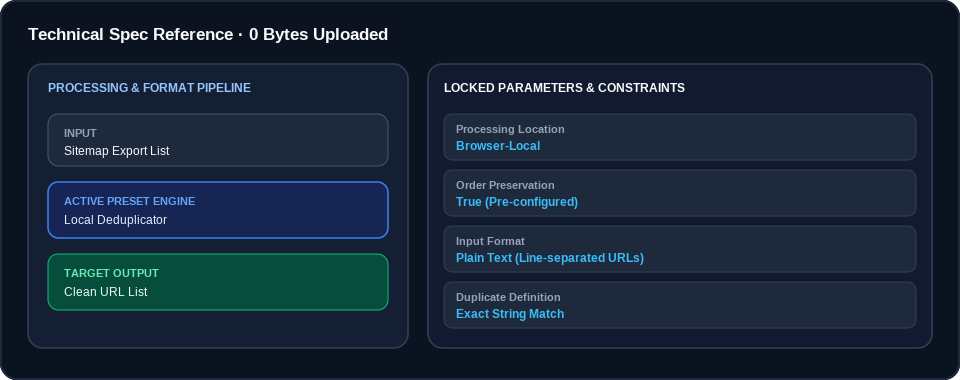
| Parameter | Recommended Setting | Why It Matters |
|---|---|---|
| Processing Location | Browser-Local | All URL deduplication happens client-side, ensuring zero bytes of your sitemap or crawl data ever leave your device. |
| Order Preservation | True (Pre-configured) | The first occurrence of each unique URL is kept, maintaining the original list order, critical for sitemap priority or crawl sequence. |
| Input Format | Plain Text (Line-separated URLs) | This standard format ensures compatibility with most sitemap generators, crawl tools, and text editors for easy copy-pasting. |
| Duplicate Definition | Exact String Match | URLs are considered duplicates only if their strings are identical, preventing unintended removal due to minor variations. |
| Output Format | Plain Text (Line-separated Unique URLs) | The clean output is immediately usable, ready for pasting into sitemap XML files or other SEO tools without further formatting. |
Common Issues & Troubleshooting Fixes
Sitemap XML tags included with URLs
Before pasting, extract only the `loc` values (the URLs) from your sitemap XML file. Use a text editor's find/replace or a simple script to strip tags.
URLs with different trailing slashes considered unique
This tool performs exact string matching. Standardize your URLs (e.g., all with or all without trailing slashes) before inputting to ensure correct deduplication.
List contains non-URL lines (e.g., headers, comments)
Manually clean your input list to contain only URLs, one per line. The tool processes every line as a potential URL, so extra text will remain.
Performance issues with extremely large lists (1M+ URLs)
While browser-local, very large lists can strain memory. For lists exceeding 500,000 URLs, consider splitting into smaller batches or using server-side tools.
Why Run This Workflow Locally in ShowPro?
Unlike remote deduplication services that require uploading your entire sitemap or crawl list, this ShowPro tool processes all URLs locally within your browser. This means sensitive site structure data, proprietary crawl logs, or pre-launch sitemaps never leave your machine, offering unparalleled privacy and instant results without account creation or network latency.
Frequently Asked Questions
Does this tool handle different URL protocols (HTTP vs. HTTPS)?
Yes, but it treats `http://example.com` and `https://example.com` as distinct URLs. You'll need to standardize your list to one protocol before using the tool for consistent deduplication.
Can I deduplicate URLs that have different parameters but the same base path?
This tool performs an exact string match. `example.com?id=1` and `example.com?id=2` will be treated as unique. For parameter-aware deduplication, pre-process your list to normalize or remove parameters.
What is the maximum number of URLs I can process?
The practical limit depends on your browser's memory and CPU. Most users can comfortably process hundreds of thousands of URLs. For lists exceeding 500,000, performance may degrade.
Will the tool remove URLs that are identical except for a trailing slash?
No, `example.com/page` and `example.com/page/` are considered distinct. You must standardize your URLs for trailing slashes (e.g., all with or all without) before input for effective deduplication.
Is there a way to sort the output URLs alphabetically?
This specific tool preserves the original order. If you require alphabetical sorting, copy the deduplicated output and paste it into a text editor that supports sorting lines (like VS Code or Sublime Text).