Minify JSON-LD Structured Data to One Line
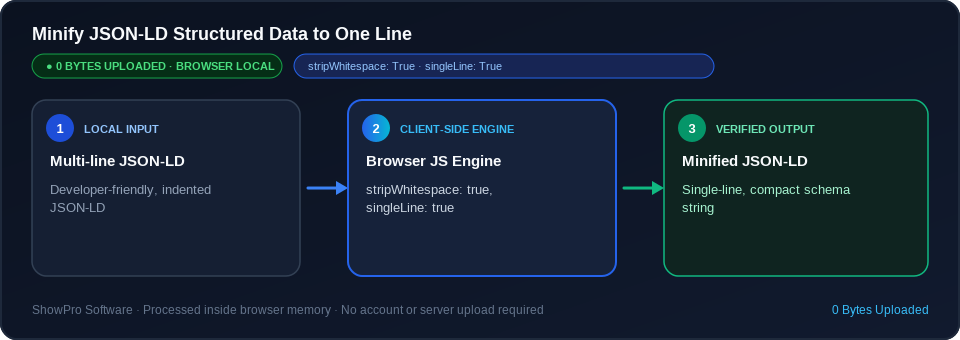
This utility instantly minifies multi-line JSON-LD schema into a single, compact line directly in your browser. It's pre-configured to strip all unnecessary whitespace and consolidate your structured data, ensuring zero bytes of your proprietary schema ever leave your device. This is crucial for maintaining data privacy and optimizing script size.
Workflow Checklist
- Verify the output string starts and ends with '{' and '}' respectively.
- Confirm the minified output contains no newline characters (\n) or carriage returns (\r).
- Check the character count of the minified output against the original to confirm size reduction.
- Test the minified schema in Google's Rich Results Test to ensure all properties are correctly parsed.
Parent Tool & Hub
Step-by-Step Guide: Minify JSON-LD Structured Data to One Line
Follow these exact steps to complete this workflow locally in your browser without uploading files.
- 1
Paste JSON-LD Schema
Copy your multi-line JSON-LD script from your development environment or text editor. Paste it directly into the 'Input JSON-LD' text area on this page.
Tip: Ensure the JSON-LD is valid before pasting to avoid parsing errors. - 2
Verify Browser Processing
Observe the 'Output Minified JSON-LD' area. The minification process is instantaneous and occurs entirely within your browser's JavaScript engine.
Tip: No 'Upload' button exists; processing is automatic upon input change. - 3
Copy Minified Output
Click the 'Copy to Clipboard' button below the 'Output Minified JSON-LD' text area. This transfers the single-line schema to your system clipboard.
Tip: Use Ctrl+C (Windows/Linux) or Cmd+C (macOS) directly from the output field. - 4
Embed in HTML <script>
Paste the copied single-line JSON-LD into your HTML document, typically within a `<script type="application/ld+json">` tag in the `<head>` section.
Tip: Verify no extra line breaks are introduced during the paste operation. - 5
Validate Structured Data
Use Google's Rich Results Test or Schema.org Validator to confirm your minified JSON-LD is correctly parsed and recognized after deployment.
Tip: Check for any parsing warnings, especially if original JSON had syntax issues.
Technical Specifications & Preset Reference
| Parameter | Recommended Setting | Why It Matters |
|---|---|---|
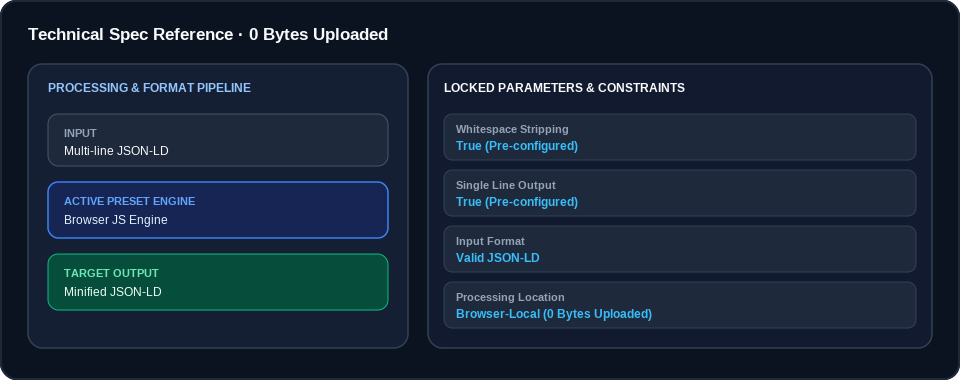
| Whitespace Stripping | True (Pre-configured) | Removes all unnecessary spaces, tabs, and newlines to achieve maximum compression and reduce file size. |
| Single Line Output | True (Pre-configured) | Consolidates the entire JSON-LD into a single continuous line, ideal for embedding or log parsing. |
| Input Format | Valid JSON-LD | Requires well-formed JSON-LD to ensure correct parsing and prevent syntax errors in the minified output. |
| Processing Location | Browser-Local (0 Bytes Uploaded) | Ensures sensitive schema data never leaves your device, adhering to strict privacy and security standards. |
| Output Character Encoding | UTF-8 | Standard encoding for web content, ensuring all characters in your schema display correctly across platforms. |
Common Issues & Troubleshooting Fixes
Schema markup not recognized by Google Search Console.
Ensure the original JSON-LD is valid before minifying. Use Google's Rich Results Test *before* and *after* minification to isolate the issue.
Minified JSON-LD causes syntax errors when embedded in a CMS or portal.
Some platforms, like Shopify's theme editor or Discord's webhook JSON, can be particular about escaped characters. Double-check if special characters (e.g., quotes within strings) need additional escaping in your target environment.
Large JSON-LD schema becomes unwieldy on a single line for debugging.
While this tool creates a single line, for debugging, paste the minified output into a JSON formatter (like ShowPro's JsonFormatter) to re-beautify it temporarily, then re-minify for deployment.
Incorrectly formatted input JSON-LD results in an empty or malformed output.
Always validate your source JSON-LD using a linter or a tool like JSONLint.com before pasting it into the minifier. This tool expects valid JSON structure.
Why Run This Workflow Locally in ShowPro?
Unlike remote JSON minifiers that require uploading your structured data to a third-party server, ShowPro processes your JSON-LD entirely within your browser. This is critical for proprietary schema containing sensitive business logic or internal identifiers. Your data never leaves your device, eliminating privacy risks and ensuring compliance with data handling policies, like those for USCIS or DS-160 applications where data security is paramount.
Frequently Asked Questions
Why is it important for JSON-LD to be on a single line?
Single-line JSON-LD reduces file size, which can slightly improve page load speed. More importantly, it prevents accidental line-break parsing issues in some systems and can be easier to manage in logs or specific embedding contexts where newlines are problematic.
Does minifying JSON-LD affect SEO or Google's understanding of my schema?
No, minifying JSON-LD only removes non-essential whitespace and line breaks. It does not alter the semantic content or structure of the data, so Google's crawlers will interpret it identically to its unminified version, provided the original was valid.
Can I minify other JSON types with this tool?
Yes, while specifically tuned for JSON-LD, this tool effectively minifies any valid JSON structure into a single line by stripping whitespace. The core JSON minification logic applies universally to all JSON content.
What if my JSON-LD contains special characters that get corrupted after minification?
This tool correctly handles standard UTF-8 characters and escapes necessary characters within string values. If corruption occurs, it's likely due to an encoding issue in your source file or the embedding environment, not the minifier itself. Ensure your HTML document is served with UTF-8 encoding.
Is there a limit to the size of JSON-LD I can minify?
Since processing is browser-local, the practical limit is determined by your device's memory and browser performance. For typical JSON-LD schemas (up to several megabytes), performance is instantaneous. Extremely large files (tens of MBs) might introduce a slight delay.