Compare Two JSON or Config Files Side-by-Side
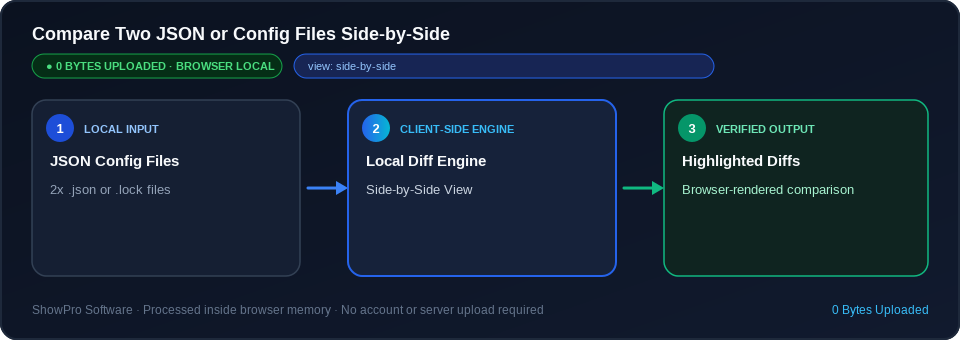
Quickly compare two JSON configuration files or package-lock.json files side-by-side, entirely within your browser. This tool is pre-configured for a direct side-by-side view, ensuring sensitive business data, API keys, or application configurations never leave your machine. No uploads, no accounts, just instant local file comparison.
Workflow Checklist
- Verify package-lock.json changes after `npm install` for unexpected dependency updates.
- Compare `appsettings.json` across staging and production environments for configuration drift.
- Audit `terraform.tfvars.json` files for unauthorized infrastructure changes before deployment.
- Review API response JSON differences from two separate endpoints for data consistency.
Parent Tool & Hub
Step-by-Step Guide: Compare Two JSON or Config Files Side-by-Side
Follow these exact steps to complete this workflow locally in your browser without uploading files.
- 1
Open Your First JSON File
Click 'Choose File 1' and select your primary JSON or config file from your local drive. This could be a package.json, package-lock.json, or any .json config.
Tip: Ensure both files are UTF-8 encoded for accurate character comparison. - 2
Load Your Second JSON File
Click 'Choose File 2' and select the second JSON or config file you wish to compare against the first. For example, a development vs. production config.
Tip: Use distinct file names (e.g., config-dev.json, config-prod.json) for clarity. - 3
Review Side-by-Side Differences
The tool will automatically display both files side-by-side, highlighting differences line by line. Scroll through to identify changes in dependencies, versions, or settings.
Tip: Focus on red/green highlights to quickly spot additions, deletions, or modifications. - 4
Navigate Specific Changes
Utilize the 'Next Diff' and 'Previous Diff' buttons to jump directly between detected differences. This is especially useful for large package-lock.json files.
Tip: Large files can benefit from browser search (Ctrl/Cmd+F) for specific keys. - 5
Export or Copy Differences
If needed, manually copy the differing sections directly from the browser view. There is no server-side export, maintaining your privacy.
Tip: For audit trails, screenshot critical diffs using OS tools like Snipping Tool or Cmd+Shift+4.
Technical Specifications & Preset Reference
| Parameter | Recommended Setting | Why It Matters |
|---|---|---|
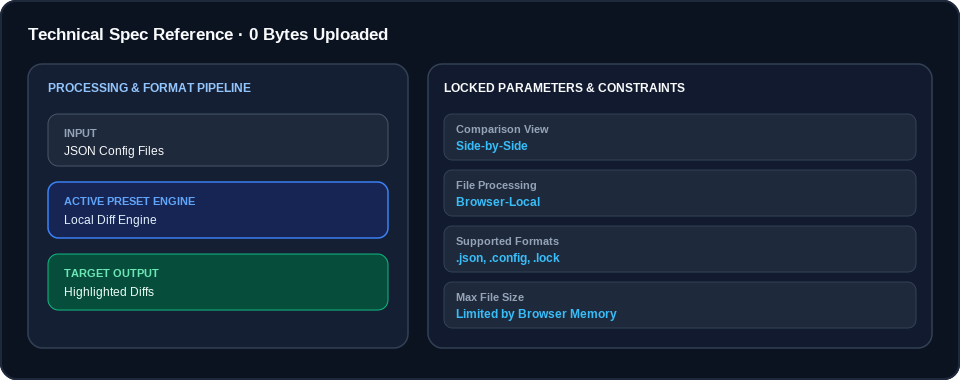
| Comparison View | Side-by-Side | This preset offers direct visual comparison, crucial for identifying granular changes in code or configuration structures. |
| File Processing | Browser-Local | All comparison logic executes entirely within your browser, ensuring sensitive package-lock.json or API keys remain private. |
| Supported Formats | .json, .config, .lock | Optimized for common configuration and dependency lock files, ensuring proper parsing and diffing of their structured content. |
| Max File Size | Limited by Browser Memory | While large, extremely complex package-lock.json files might slow down, standard files process quickly without server constraints. |
| Encoding | UTF-8 (recommended) | Ensures all characters, including special symbols in comments or strings, are correctly interpreted and compared without corruption. |
Common Issues & Troubleshooting Fixes
Mismatched character encoding causing garbled text or missed diffs.
Ensure both JSON files are saved with UTF-8 encoding. Use editors like VS Code's 'Save with Encoding' option before loading into ShowPro.
Comparing minified vs. pretty-printed JSON leading to extensive, unhelpful diffs.
Pre-process both JSON files to either pretty-print or minify them consistently before comparison. ShowPro focuses on content, not formatting.
Files appear identical but the tool shows differences in whitespace.
Many JSON files, especially from different sources, might have varied indentation. This tool highlights all changes, including whitespace. Adjust your expectation for formatting-only changes.
Performance issues with extremely large package-lock.json files (e.g., >10MB).
For very large files, consider using command-line tools like `diff` or `jq` for initial filtering before using ShowPro for focused visual inspection of critical sections.
Why Run This Workflow Locally in ShowPro?
Unlike online diff tools that require uploading your sensitive configuration files to a remote server, ShowPro's JSON comparison operates entirely within your browser. This is critical for `package-lock.json` or `appsettings.json` files containing proprietary dependency information, API keys, or internal network paths. With ShowPro, your data never leaves your device, guaranteeing confidentiality and compliance, especially for regulated industries.
Frequently Asked Questions
Can I compare JSON files that are not perfectly formatted?
Yes, the tool is robust enough to handle minor formatting inconsistencies. However, for best results and clearer diffs, ensure your JSON is valid and consistently formatted (e.g., pretty-printed) before loading.
Does this tool support comparing YAML or other config formats?
This specific tool is optimized for JSON. While it might display other text files, the diffing logic is tailored for JSON structure. For YAML, use a dedicated YAML diff tool for more accurate results.
How does ShowPro ensure my JSON data stays private?
Your JSON files are processed client-side using JavaScript APIs. No data is uploaded to our servers, stored, or transmitted. The entire operation occurs locally in your browser's memory, ensuring maximum privacy.
What if my JSON files are very large? Will it crash my browser?
Performance depends on your browser and system resources. For typical `package-lock.json` sizes (under a few MB), it should work fine. Extremely large files (tens of MBs) might slow down or cause issues due to browser memory limits.
Can I merge differences or edit the files directly within the tool?
This tool is designed purely for side-by-side comparison and identification of differences. It does not offer merging or editing capabilities. You'll need to copy changes and apply them in your preferred text editor or IDE.